Avast Free Antivirus
Free
Avast Free Antivirus
Free
 Sandboxie
Free
Sandboxie
Free
 Trellix Stinger (McAfee Stinger
Free
Trellix Stinger (McAfee Stinger
Free
 AVG Anti-Virus Free Edition
Free
AVG Anti-Virus Free Edition
Free

 Malwarebytes Anti-Malware Free
Free
Malwarebytes Anti-Malware Free
Free
 CCleaner
Free
CCleaner
Free
 Sticky Password
Free
Sticky Password
Free
 ClearLock
Free
Privacy Eraser
Free
ClearLock
Free
Privacy Eraser
Free
 360 Total Security Essential
Free
360 Total Security Essential
Free
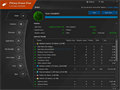
remove Internet and PC activity tracks Privacy Eraser is a privacy cleaner to remove common Internet tracks, junk files and traces of recent computer activities. The program can quickly erase your browser cache, cookies, browsing history, website history, typed URLs, auto-complete forms data, index.dat files, swap file, temp folders and other common locations. You can manually scan your system and review the items to delete or you can use the QuickClean button to clean your computer of all common tracks and junk files with a single click. Other features include support for third party applications, scheduled cleaning, Internet Explorer customizations, stealth mode and hotkey support. A Pro version can be purchased that offers additional security by adding multi-pass file shredding and drive wiping. Copyright Snapfiles.com
| Publisher | Cybertron Software Co., Ltd. (2) | Price | Free (paid upgrade available) |
| Version | 6.31.2

|
Last updated | Oct 09, 2026 |
| File Size | 5.01 Mb | Requirements | None |
| 5 stars |  | 1 |
| 4 stars | | 2 |
| 3 stars | | 0 |
| 2 stars | | 0 |
| 1 star | | 0 |
| Based on 3 reviews | ||
Latest user reviews:
Privacy eraser the better ccleaner!
 by thesurfguru62
Aug 24, 2026
(Read all my 2 reviews)
by thesurfguru62
Aug 24, 2026
(Read all my 2 reviews)
 Review details
Does a lot of cleaning
 by labman24620
Aug 17, 2015
(Read all my 6 reviews)
Review details
by labman24620
Aug 17, 2015
(Read all my 6 reviews)
Review details
Works great
by gimpguy
Feb 26, 2014
(Read all my 1159 reviews)
Review details